All applications
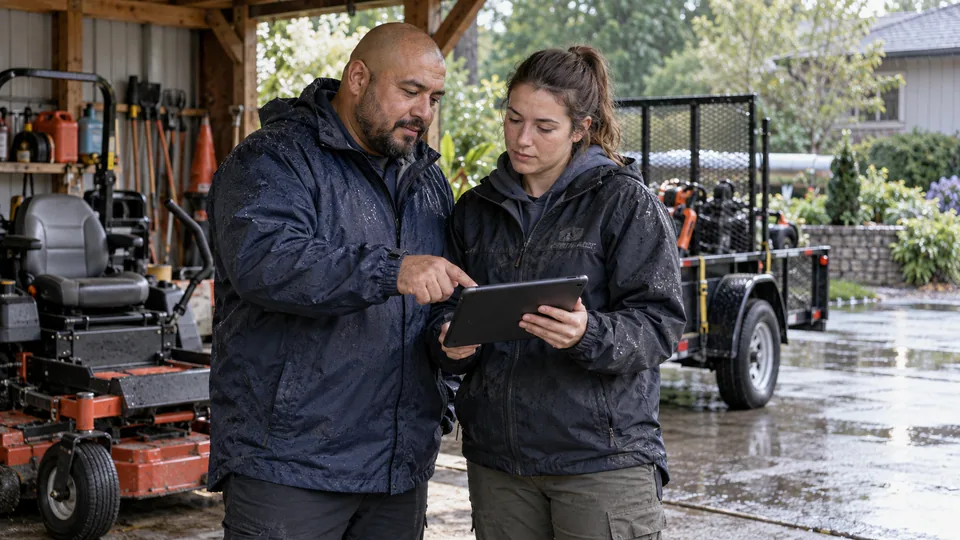
Lawn-care crew reviewing a revised route beside their equipment after rain.
Landscaping & grounds

Rain-day rescheduling for lawn crews

We build a small scheduling workspace around your recurring visits, access notes, and crew capacity. Start with rain-day recovery for one crew, then expand only after the handoffs work reliably.

How we put it to work

  1. Choose the visits that need to move.

    Your supervisor marks affected work. AI summarizes access notes and customer constraints from the job records; it does not decide whether ground conditions are safe.

    Your teamConfirms which properties need postponement.

    Choose the visits that need to move. Your supervisor marks affected work. AI summarizes access notes and customer constraints from the job records; it does not decide whether ground conditions are safe.
    Affected visits
    AI
    Access notes
    Customer constraints
  2. Build a workable draft.

    Scheduling rules check capacity, service windows, and travel allowances. AI explains conflicts in plain language, with unresolved visits in a separate queue.

    Your teamChecks crew assignments, travel, equipment, and site conditions.

    A rain day becomes a proposed plan. Example lawn-service schedule: Tuesday visits postponed; Oak Lane: Friday access only; Crew capacity must be checked. Rules check capacity; AI explains the access constraint.: Tue postponed; Fri requested; Lead approval. Supervisor confirms the route and ground conditions.
    A rain day becomes a proposed plan
    Example lawn-service schedule · Illustrative example
    Tuesday visits postponed
    Oak Lane: Friday access only
    Crew capacity must be checked
    Tue postponed
    Source
    Fri requested
    Review
    Lead approval
    Next action
    Rules check capacity; AI explains the access constraint.
    Supervisor confirms the route and ground conditions
  3. Approve the messages with the plan.

    AI drafts updates from the proposed dates. Our workspace shows the calendar changes alongside the messages so a supervisor can approve them together.

    Your teamApproves dates and message wording before release.

    Approve the messages with the plan. AI drafts updates from the proposed dates. Our workspace shows the calendar changes alongside the messages so a supervisor can approve them together.
    Schedule review
    AI
    Original visits
    Revised visits
    Customer notice
  4. Keep the office and crews in sync.

    We write approved changes to supported systems, record delivery failures, and surface visits that did not update. Crew briefs are generated from the saved schedule.

    Your teamResolves failed updates and confirms late changes with the crew.

    Keep the office and crews in sync. We write approved changes to supported systems, record delivery failures, and surface visits that did not update. Crew briefs are generated from the saved schedule.
    Approved schedule
    Crew brief
    Notices sent
    Retry queue
    Draft · Awaiting review

What your first engagement includes

  1. 01Review your setupConfirm existing features, data access, and system compatibility.
  2. 02Configure one workflowConnect the tools, define approvals, and handle exceptions.
  3. 03Test and hand overPilot on selected work, train your staff, and provide operating instructions.

PILOT REVIEW

How we measure the pilot

Compare the same work before and during the pilot.

  • Time to complete

    Time to release a checked replacement schedule, including the human check.

    Review time
  • Review quality

    How often a draft needs a material correction before approval.

    Correction rate
  • Workflow reliability

    Visits with conflicting dates or undelivered change notices.

    Exceptions to resolve
  1. Current process
  2. Pilot results
  3. Review together

Agree what to improve or expand based on the results.

Start with one workflow in your business.

Related technology and workflow references

Background reading on the capabilities behind this application. Your setup determines which connections are practical.

Swipe to explore 1 / 3