All applications
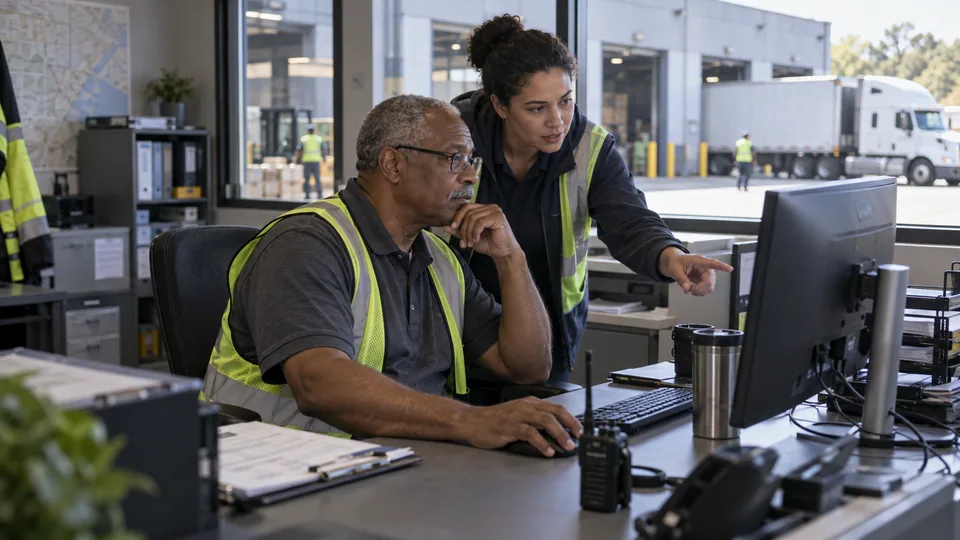
Dispatcher and warehouse colleague reviewing a shipment at a loading-bay office.
Distribution & logistics

Delivery updates grounded in shipment records

We connect supported carrier feeds to your shipment records, then use AI to explain the latest verified status. An estimated arrival stays an estimate, and a missing scan stays a gap to investigate.

How we put it to work

  1. Match the shipment before answering.

    We join carrier references to your order records and enforce access checks before showing customer-specific information. Failed matches go to operations.

    Your teamConfirms record matching and who may see each shipment.

    Match the shipment before answering. We join carrier references to your order records and enforce access checks before showing customer-specific information. Failed matches go to operations.
    Carrier reference
    AI
    Order record
    Identity check
  2. Explain what the latest event means.

    AI prepares an update from the scan history and supplied estimate, including when the source was last updated. It does not turn stale data into a new arrival promise.

    Your teamApproves communication rules and checks ambiguous exceptions.

    A delay without an invented arrival time. Example carrier event: Delivery exception recorded; No revised estimate supplied; Order reference matched. AI explains the event using the available evidence.: The carrier has reported a delay.; A new arrival time is not confirmed.; Our operations team is checking.. Operations approves the next customer commitment.
    A delay without an invented arrival time
    Example carrier event · Illustrative example
    Delivery exception recorded
    No revised estimate supplied
    Order reference matched
    AI prepares a draft
    The carrier has reported a delay.
    A new arrival time is not confirmed.
    Our operations team is checking.
    Operations approves the next customer commitment
  3. Route the delay with context.

    Rules identify agreed exception conditions. AI summarizes the event sequence and prepares a customer response; retries and duplicate events are handled in the integration.

    Your teamConfirms revised dates and any compensation or claim.

    Route the delay with context. Rules identify agreed exception conditions. AI summarizes the event sequence and prepares a customer response; retries and duplicate events are handled in the integration.
    Delivery exception
    AI
    Operations desk
    Customer update
    Source attached

What your first engagement includes

  1. 01Review your setupConfirm existing features, data access, and system compatibility.
  2. 02Configure one workflowConnect the tools, define approvals, and handle exceptions.
  3. 03Test and hand overPilot on selected work, train your staff, and provide operating instructions.
PILOT REVIEW

How we measure the pilot

Compare the same work before and during the pilot.

  • Time to complete

    Time to prepare a source-backed shipment update, including the human check.

    Review time
  • Review quality

    How often a draft needs a material correction before approval.

    Correction rate
  • Workflow reliability

    Updates containing stale or unsupported delivery commitments.

    Exceptions to resolve
  1. Current process
  2. Pilot results
  3. Review together

Agree what to improve or expand based on the results.

Start with one workflow in your business.

Related technology and workflow references

Background reading on the capabilities behind this application. Your setup determines which connections are practical.

Swipe to explore 1 / 3