All applications
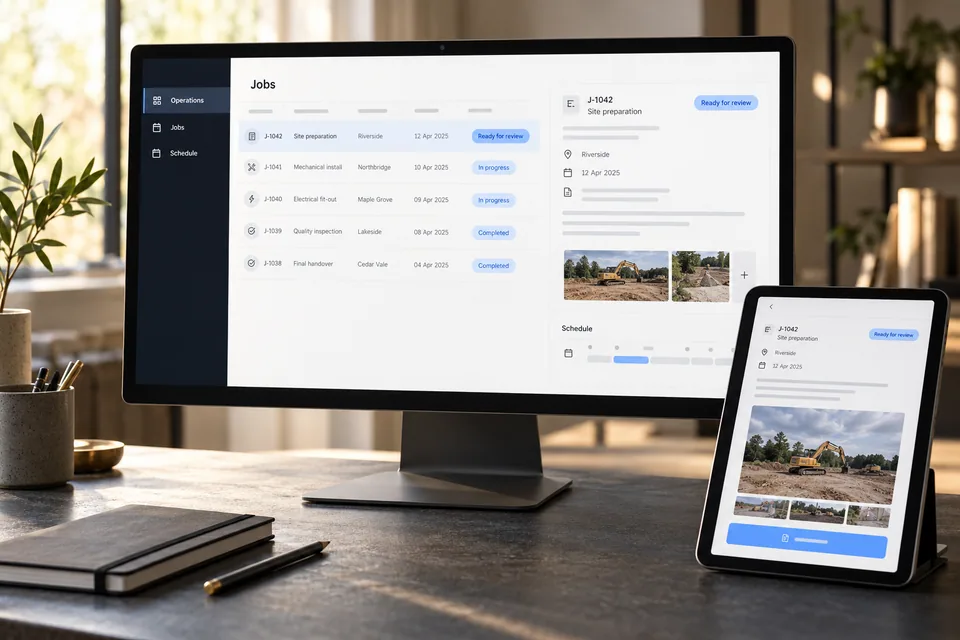
Illustrative business software workspace with connected operational information.
Home services & trades · Construction · Landscaping & grounds · Automotive & repair · Cleaning & facilities · Manufacturing · Distribution & logistics · Retail & multi-location · Professional services · Corporate operations

Make your services available to AI assistants

We build an MCP server that makes selected business capabilities available to compatible AI applications. Customers could check stock, request a quote, or follow an order using their own assistant. We connect those operations to your existing systems and enforce your account permissions and approval rules. This is an integration for an identified audience; it does not automatically make your business discoverable in AI recommendations.

How we put it to work

  1. Define what customers can request

    We choose a small set of useful operations with your customers or partners in mind. For an equipment rental business, that might be checking availability and submitting a reservation request. Pricing changes and cancellations would remain separate capabilities.

    Your teamApproves the service operations and intended customers.

    Define what customers can request We choose a small set of useful operations with your customers or partners in mind. For an equipment rental business, that might be checking availability and submitting a reservation request. Pricing changes and cancellations would remain separate capabilities.
    Customer request
    Dates and location
    AI
    Availability check
    Scope agreed
  2. Check access before returning information

    We implement the MCP connection and verify identity, account access, and requested records at the service boundary. The assistant receives only the information that customer is allowed to see; another customer’s prices or bookings stay inaccessible.

    Your teamSets access rules and approves customer onboarding.

    Check access before returning information We implement the MCP connection and verify identity, account access, and requested records at the service boundary. The assistant receives only the information that customer is allowed to see; another customer’s prices or bookings stay inaccessible.
    Access check
    AI
    Authorized account
    Allowed records
    Other accounts blocked
  3. Use current business records

    The customer’s AI assistant calls the permitted operation, and your service checks the source system. We return explicit availability, constraints, and uncertainty. If the source is down, the result says so rather than supplying a guessed answer.

    Your teamOwns availability and commercial terms in the source system.

    Use current business records The customer’s AI assistant calls the permitted operation, and your service checks the source system. We return explicit availability, constraints, and uncertainty. If the source is down, the result says so rather than supplying a guessed answer.
    Availability result
    AI
    Requested dates
    Source result
    Not yet reserved
  4. Separate a request from a commitment

    A reservation or quote request receives a reference and enters your established approval process. Required checks run before confirmation. Repeated delivery of the same request must not create a duplicate booking.

    Your teamConfirms eligibility, price, availability, and any required payment.

    An availability check becomes a reviewable request. Illustrative equipment rental interaction: Customer asks for next Tuesday; System returns an available option; Account approval still required. AI submits the customer’s chosen request; the business system controls confirmation.: Availability checked; Request reference created; Reservation awaiting approval. Rental team approves the reservation under existing rules.
    An availability check becomes a reviewable request
    Illustrative equipment rental interaction · Illustrative example
    Customer asks for next Tuesday
    System returns an available option
    Account approval still required
    AI organizes the scope
    Availability checked
    Request reference created
    Reservation awaiting approval
    AI submits the customer’s chosen request; the business system controls confirmation.
    Rental team approves the reservation under existing rules
  5. Operate the connection after launch

    We test with the intended AI clients, document errors and access revocation, and agree who monitors failures and maintains the integration. The pilot includes expired credentials, invalid requests, unavailable sources, and retries.

    Your teamOwns service policy and agrees support responsibilities.

    Operate the connection after launch We test with the intended AI clients, document errors and access revocation, and agree who monitors failures and maintains the integration. The pilot includes expired credentials, invalid requests, unavailable sources, and retries.
    Service operation
    Requests traceable
    Failures visible
    Access revocable
    Draft · Awaiting review

What your first engagement includes

  1. 01Review your setupConfirm existing features, data access, and system compatibility.
  2. 02Configure one workflowConnect the tools, define approvals, and handle exceptions.
  3. 03Test and hand overPilot on selected work, train your staff, and provide operating instructions.

PILOT REVIEW

How we measure the pilot

Compare the same work before and during the pilot.

  • Time to complete

    Staff handling time per completed customer request, including the human check.

    Review time
  • Review quality

    How often a draft needs a material correction before approval.

    Correction rate
  • Workflow reliability

    Duplicate requests, access-control failures, and incorrect confirmations.

    Exceptions to resolve
  1. Current process
  2. Pilot results
  3. Review together

Agree what to improve or expand based on the results.

Start with one workflow in your business.

Related technology and workflow references

Background reading on the capabilities behind this application. Your setup determines which connections are practical.

Swipe to explore 1 / 3