All applications
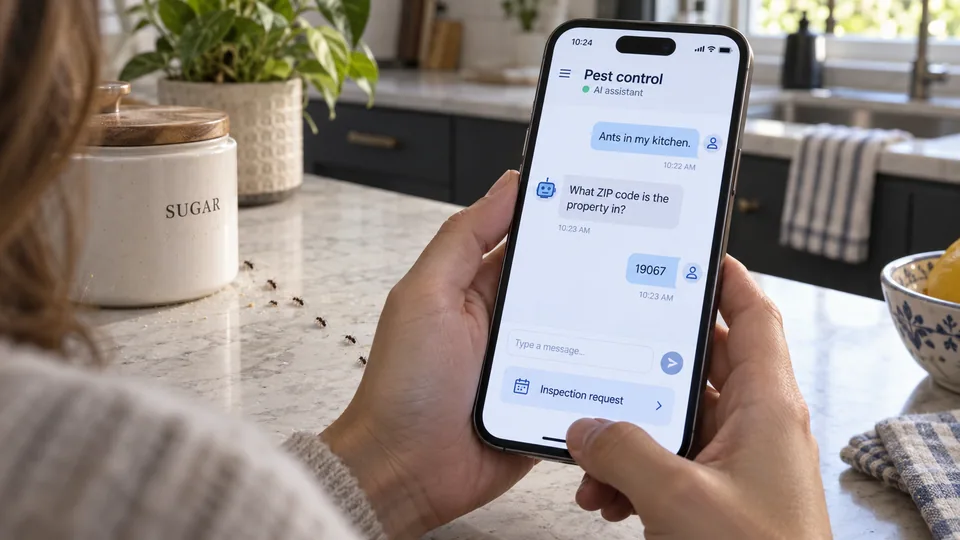
Homeowner reporting ants in the kitchen to a pest-control AI assistant on a phone, with an inspection request option.
Home services & trades

A website chatbot for pest control

We build a website chatbot around your service area, approved answers, and inspection process. It helps a prospective customer explain the problem and sends the request into your existing customer system.

How we put it to work

  1. Answer the practical questions.

    We connect approved service descriptions and coverage areas. AI answers questions about what you offer and explains when an inspection is needed; unsupported questions go to your office.

    Your teamApproves the answers and decides which questions require a person.

    Answer the practical questions. We connect approved service descriptions and coverage areas. AI answers questions about what you offer and explains when an inspection is needed; unsupported questions go to your office.
    Service information
    Visitor question
    Approved answer
    AI
    Office handoff
  2. Ask for the details that matter.

    The chatbot asks for the property location, where activity was noticed, and a preferred callback time. It records what the visitor reports without treating it as a confirmed pest identification.

    Your teamReviews the reported issue and confirms whether the property is in range.

    A visitor becomes an inspection request. Example website conversation: “Something is scratching in the attic.”; Property: Yardley; Inspection time not yet agreed. AI organizes the request, without identifying the pest.: Reported activity: attic noise; Location: Yardley; office to check; Next step: request a callback. Office confirms scope and inspection availability.
    A visitor becomes an inspection request
    Example website conversation · Illustrative example
    “Something is scratching in the attic.”
    Property: Yardley
    Inspection time not yet agreed
    AI prepares a draft
    Reported activity: attic noise
    Location: Yardley; office to check
    Next step: request a callback
    Office confirms scope and inspection availability
  3. Create one useful lead.

    We connect the chat to your lead queue, check for an existing contact, and attach a short summary. Failed submissions stay visible for retry rather than disappearing after the conversation.

    Your teamAssigns the request and confirms inspection availability.

    Create one useful lead. We connect the chat to your lead queue, check for an existing contact, and attach a short summary. Failed submissions stay visible for retry rather than disappearing after the conversation.
    Chat summary
    AI
    Existing customer
    New request
    Office queue
  4. Hand over without starting again.

    The customer can ask for a person at any point. We pass along the transcript and unanswered questions, and test the handoff before launch.

    Your teamHandles treatment advice, prices, and sensitive or urgent concerns.

    Hand over without starting again. The customer can ask for a person at any point. We pass along the transcript and unanswered questions, and test the handoff before launch.
    Office handoff
    Conversation attached
    Questions listed
    Inspection to confirm
    Draft · Awaiting review

What your first engagement includes

  1. 01Review your setupConfirm existing features, data access, and system compatibility.
  2. 02Configure one workflowConnect the tools, define approvals, and handle exceptions.
  3. 03Test and hand overPilot on selected work, train your staff, and provide operating instructions.

PILOT REVIEW

How we measure the pilot

Compare the same work before and during the pilot.

  • Time to complete

    Office time to turn a conversation into a checked inspection request, including the human check.

    Review time
  • Review quality

    How often a draft needs a material correction before approval.

    Correction rate
  • Workflow reliability

    Requests missing location, contact details, or a follow-up owner.

    Exceptions to resolve
  1. Current process
  2. Pilot results
  3. Review together

Agree what to improve or expand based on the results.

Start with one workflow in your business.

Related technology and workflow references

Background reading on the capabilities behind this application. Your setup determines which connections are practical.

Swipe to explore 1 / 3